Half Sword Combat Guide: Every Control The Game Hides From You
If you just booted up Half Sword and feel like a complete idiot flailing a piece of metal around, congratulations, you are playing it correctly.
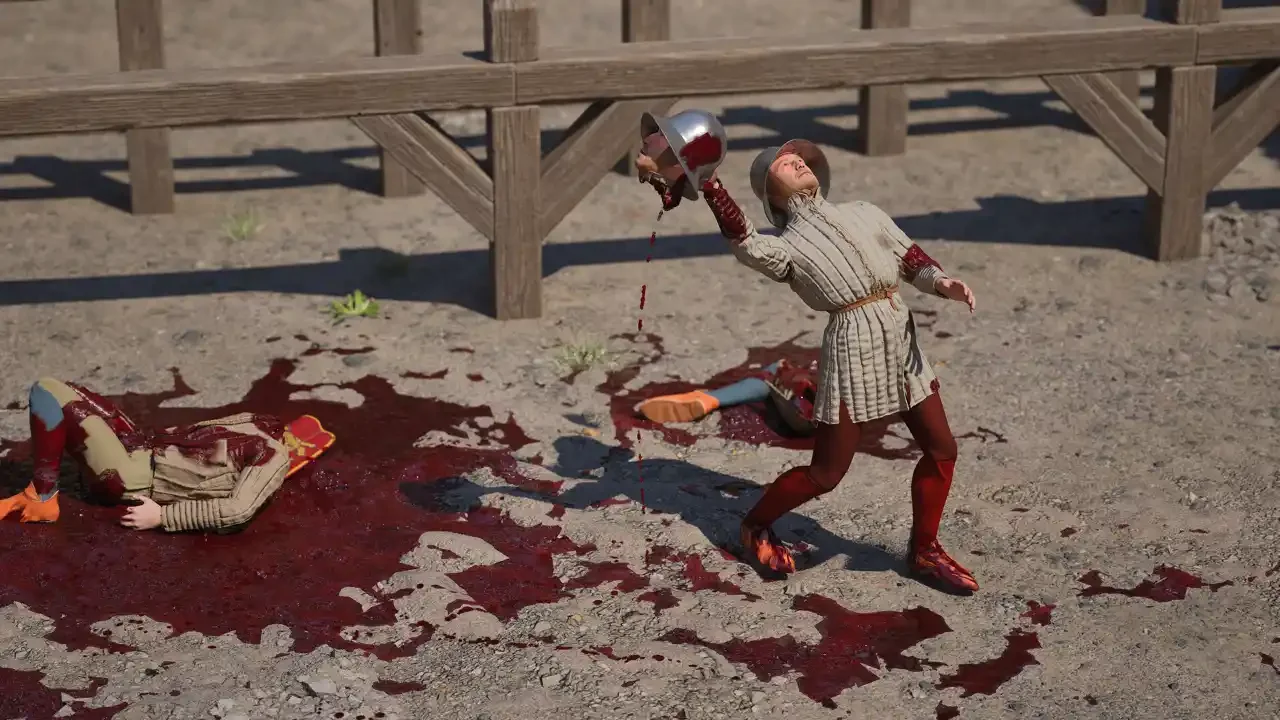
This game has a sick sense of humor. It drops you into a hyper-realistic 15th-century physics simulator, hands you a sword, and then refuses to explain how to do basic human functions like standing up or kicking. I spent my first hour getting absolutely dismantled by low-level AI because I didn't know that my mouse sensitivity was ruining my life. After banging my head against the wall (and several armored knights), I figured out the actual mechanics. Here is how you stop dying and start abusing the physics engine.
Fixing Your Settings Before You Swing
You cannot play this game with your standard shooter settings, or you will look like a windmill having a seizure.
The Sensitivity Trap
The number one reason you are losing fights is your mouse sensitivity. If it is too high, your character’s arms will spasm, and your sword will bounce off armor harmlessly because the physics engine reads it as a glitchy jitter rather than a swing.
I dropped my in-game sensitivity to about 5-10%. It feels sluggish in the menu, but in combat, it gives you the weight and torque you need. You want deliberate, heavy movements. If you can do a 360-degree spin with a flick of your wrist, you are doing it wrong.
The Offensive Basics
Swinging a sword sounds simple until you realize your hand position determines whether you decapitate someone or just lightly slap their helmet.
Mastering the Swing
The Left Mouse Button (LMB) is your right hand. To swing, you hold LMB and physically move your mouse. The direction matters. If you wind up to the left and swing right, you get a clean slash. But if you swing right-to-left, the animation changes because of how your character grips the handle. I found that left-to-right swings generally carry more momentum for two-handed weapons, making them better for heavy hits.
The Thrust (And How Not to Mess It Up)
Thrusting is arguably the deadliest move in the game because it slips through gaps in armor, but the default control for it is garbage. You can double-click LMB to thrust, but half the time it registers as a jittery swing.
Do this instead: Hold Left Alt + Hold LMB. This locks you into "Thrust Mode." All you have to do then is push your mouse forward. It turns your sword into a piston of death. I used this to cheese so many fights by just aiming for the neck or armpits.
The "Hidden" Controls
I call these "hidden" because the game literally does not list them in the controls menu, which is infuriating.
How to Kick and Jump
You would think "Space" is jump. It isn't. Tapping Space is how you kick. This is essential for creating distance when an enemy gets in your face.
To actually jump, you have to Hold Space and release it. It’s awkward, but it stops you from tripping over corpses. Also, if you hold Shift (which puts you in a stance), press Space, and swing your mouse, you can do a spin kick. Is it practical? No. Did I die trying to do it? Yes.
Getting Up From the Ground
You are going to get knocked down. A lot. When you are staring at the sky, don't just mash buttons. If you are on your back, Hold W. If you are on your stomach, Hold S. It forces your character to crunch their way back to a standing position.
Defense and The Art of Not Dying
There is no "block button." If you played For Honor or Dark Souls, forget everything you know.
Manual Blocking
Defense in Half Sword is entirely physics-based. To block, you have to physically put your weapon in the way of their weapon. If they swing overhead, look up and raise your sword horizontally. If they swing right, move your sword right.
It feels frantic at first, but you eventually get used to reading the enemy's shoulders. If they wind up, you know it's a heavy swing.
The Dodge
You have a dedicated dodge, but it drains stamina (which is invisible, by the way). Hold Shift and use WASD to lunge in a direction. I found that dodging backward is usually safer than dodging sideways because the hitboxes on longswords are deceptively wide.
Advanced Tactics: Half-Swording and Grappling
This is where the game gets its name and where combat gets interesting.
How and Why to Half-Sword
If you press RMB (Right Mouse Button) while holding a two-handed weapon, your character grabs the blade with their left hand. This is "half-swording." You sacrifice range, but you gain massive control. This is the god-tier strat for fighting close quarters. You can guide the tip of your sword directly into an enemy's eye slit with way more precision than a full swing. It’s also great for blocking because your weapon structure is more rigid.
Dirty Fighting
Don't fight fair. If you press E or Q close to an enemy, you can grab them. I like to grab their weapon arm to stop them from swinging, then stab them with a dagger in my off-hand. Also, pay attention to the environment. I managed to bait an AI into walking into a hanging cauldron, which knocked him out cold. I also saw a beehive in the forest map—hit it with a crossbow, and the bees will do the work for you.