Your House Looks Like A Storage Shed in heartopia: Here Is How To Fix It With Blueprints And Co-Op
In every survival or simulation game, there is a phase where your "home" is just a bed next to a furnace in the middle of a grass field.
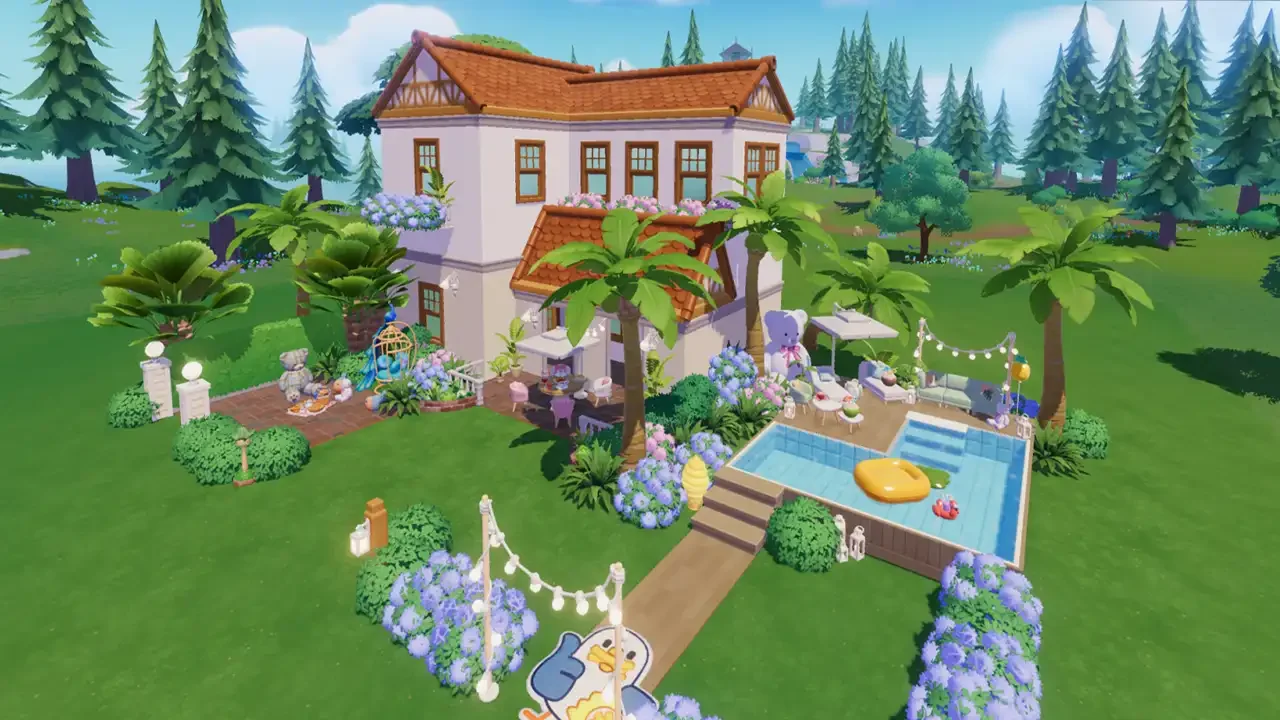
In Heartopia, that phase lasts way longer than it should because the building mechanics are actually quite deep. The game hands you a plot of land and says "go crazy," but if you don't understand the Builder Tablet or the Blueprint System, you are going to end up with a cluttered mess. And let's not get started on the anxiety of letting your chaotic friends into your world to "help." Here is everything you need to know to turn that plot into a mansion without losing your mind.
Master The Builder Tablet
The Builder Tablet is your god-mode tool. The game introduces it early, but most players only use it to place a bed and then forget about it. That is a mistake.
This tablet is the only way to get precision. When you open it, you enter a grid view. Camera Control: You can rotate and zoom to see if that couch is actually touching the wall or just hovering awkwardly near it. The "Oops" Button: Did you place a table and immediately hate it? You don't have to pick it up manually. Use the tablet to zap it straight back into your inventory. Stuck Items: Sometimes you drop an item and it clips into a wall or becomes unclickable. The Tablet can always select it. If you lose a chair, check the Tablet mode.
The Blueprint System: You Can Have Multiple Houses
This is the feature that saves Heartopia from being a nightmare. You are not locked into one house design.
The Blueprint System works like "loadouts" in a shooter game. You have multiple slots. Slot 1 can be your cozy cottage. Slot 2 can be a massive party mansion. Slot 3 can be an empty lot for testing.
You can switch between these instantly (usually from the main housing menu or the signboard on your plot). This means you don't have to tear down your current house just to experiment with a new style. Save your current layout, switch to a blank blueprint, and mess around. If it looks terrible, just switch back to Slot 1. No harm done.
Co-Build: How To build With Friends (Without Trusting Them)
Multiplayer building is a huge selling point for Heartopia, but if you have friends like mine, you know they will put a toilet in your kitchen as a "joke."
The developers anticipated this. The Co-Build feature is designed with trust issues in mind. You do not have to give friends access to your main house. Instead, you can designate a specific Blueprint slot for Co-Op.
Invite: Go to your Social Menu and invite a friend to your town.
Permissions: You have to manually grant "Build Permissions." Do not do this unless you are on a Blueprint slot you don't care about.
The Safety Net: Since you are using the Blueprint system, your friends can destroy everything in the "Co-Build" slot, and your actual main house in the other slot remains untouched. Never let friends build on your Main Slot unless you want to spend hours fixing it.
Where To Get The Goods
You know how to build, but you need stuff to place. Furniture comes from three main sources, and you need to balance them to save money.
Got a hot take on this? I know you do. Head over to r/neonlightsmedia to discuss it.
YOU MIGHT ALSO LIKE