Road To Vostok Guide: Mastering The Hidden Weapon Mechanics And Controls
Fumbling with your keyboard while a hostile military unit lines up a headshot is a uniquely frustrating way to lose all your gear.
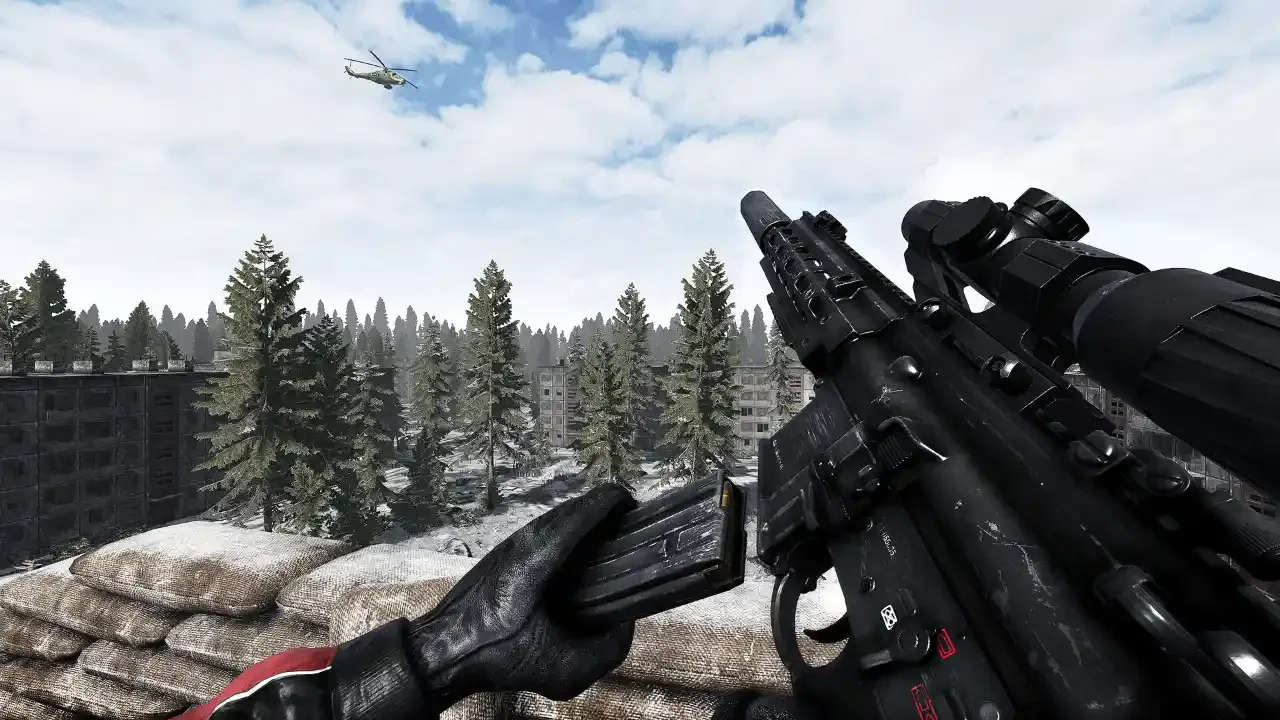
Road to Vostok features some of the most satisfying gunplay in the survival genre, provided you actually know what buttons to press. The game drops you into a hostile environment with a control scheme that feels like operating heavy industrial machinery without an instruction manual. I have lost count of how many times I died during my first few hours simply because I pressed the standard reload key and my character just stared blankly at a shotgun.
If you are treating the combat here like a traditional arcade shooter, you are going to end up dead in the snow. Every single action carries a physical weight and a stamina cost. The developers hid a massive amount of functionality behind specific keyboard shortcuts and context sensitive mouse clicks. I spent hours wrestling with the interface to figure out exactly how the guns work so you do not have to panic when the shooting starts.
The Bizarre Bullet Insert Mechanic
This is the number one reason beginners die in their first firefight. If you find a bolt action rifle like the Mosin or a pump action shotgun like the RM 870, pressing R does absolutely nothing. These weapons do not use detachable magazines.
To actually load these guns, you have to initiate a sequence the game calls a Bullet Insert. First, make sure you have the correct loose ammunition sitting in your inventory. With the weapon equipped, hold down your CTRL key. Your character will physically tilt the gun to expose the chamber.
While holding CTRL, you need to click your Left Mouse Button for every single bullet you want to load. You can click six times to top off a Mosin or eight times for the RM 870. Once you have crammed enough rounds into the weapon, press CTRL one more time to close the action and return to a combat ready stance. It is a slow, methodical process that forces you to count your shots and seek hard cover before trying to reload.
The Deadly Cost Of Checking Your Ammo
Ammunition is scarce, and the game does not give you a magical floating counter in the corner of your screen. You have to physically inspect your weapon to see what you have left.
Pressing the V key prompts your character to check the magazine or chamber. What the game completely fails to mention is that executing this action automatically raises your weapon and leaves it locked in that elevated position.
This is incredibly dangerous because holding a gun up constantly drains your Arm Stamina. This is the specific meter located directly above your general stamina bar. If your Arm Stamina hits zero, your character loses all upper body strength. Your aim will start swaying violently all over the screen, making it completely impossible to hit a target. Every single time you check your ammo, you must remember to manually scroll your Mouse Wheel Down to lower the weapon and let your arms rest.
Advanced Optic Adjustments On The Fly
If you followed my beginners survival guide, you know that acquiring a magnified scope is your top priority. Once you actually bolt an optic onto your rifle, you unlock a whole new layer of hidden controls.
The scroll wheel on your mouse handles almost all of your optic customization while you are actively aiming down the sights. If your equipped scope supports variable zoom, simply scrolling up and down will adjust the magnification level.
Rail Placement And Reticle Brightness
You can actually fine tune exactly where the scope sits on your weapon. While aiming or inspecting the gun, hold the CTRL key and scroll your mouse wheel. This slides the optic forward or backward along the mounting rail. Adjusting the placement changes your eye relief and alters how much of the surrounding environment is blocked by the scope housing.
You also have total control over the illumination. If you are using a red dot sight or a powered optic, holding the ALT key and scrolling will adjust the brightness of the reticle. Turn it down during the blinding daytime snowstorms, and crank it up when you are clearing dark buildings.
The Context Sensitive Nightmare
You really need to understand how the game interprets the Middle Mouse Button. It is a highly context sensitive input that constantly changes behavior depending on what your character is doing.
If you are standing next to a ladder, pressing MMB mounts it. If you are looking at a door, it acts as a secondary interaction key. Most importantly, if you are actively aiming down the sights of a weapon equipped with a canted backup optic, clicking MMB physically tilts the gun so you can use the secondary sight. Get familiar with how this button behaves, because accidentally mounting a ladder during a firefight is a lethal mistake.
Surviving The Clunky Inventory UI
Combat mechanics are only half the battle. You spend a massive chunk of your playthrough fighting the actual inventory screen.
Never drag individual items across your screen when looting a container or moving gear into your stash. Hold your CTRL key and Left Click an item to instantly fast transfer it between grids. This saves an unbelievable amount of time when you are exposed in a hostile area.
You also need to watch out for a nasty interface trap. If you open a supply box, find a medical item, and attempt to use it while the container window is still open on your screen, the game will completely lock up your interface until the consuming animation finishes. To avoid freezing in place, always fast transfer the item into your own backpack first. Close the container window, open your personal inventory, and then use the medical item. This allows you to walk away and seek cover while your character applies the bandage.
Finally, remember that enemy loot is not fully contained in their body interface. When you drop a bandit, you have to physically look at their hands and the ground around them to steal their weapons. You can also pull backpacks and clothing straight off their character model.
Mastering these controls completely changes the flow of the game. Once the mechanics become muscle memory, you can finally focus on tracking down the hidden shelter locations and preparing for the brutal permadeath trek outlined in my minefield border crossing guide.