EA Sports College Football 27 Guide: Building The Ultimate Team Builder Dynasty
Designing a custom college football program from scratch consumes hours of your life, but the depth of the creation suite easily justifies the effort.
Taking over a standard program gets stale after a few seasons. If you want to run a football empire built entirely to your exact specifications, you have to use the Team Builder. I spent the last few days messing around with the tools, and the sheer volume of customization options is staggering. Getting a logo perfectly aligned takes patience, and making the wrong choices early on will leave your roster stranded. I put together a breakdown of how the whole system actually operates to save you from clicking through endless dead-end menus.
The Hardware Requirements
The creation suite doesn't exist inside the console menus. You handle the heavy lifting on the official EA website using a proper desktop or laptop browser. Trying to map out a stadium on a phone screen or a low-powered Chromebook simply fails to load. You need a standard Windows or macOS setup and a linked EA account to log in. Once you get through the gate, you can overwrite an existing roster or start a fresh build from absolute zero.
Defining The Brand And Roster
Loading into the builder presents four distinct tabs to shape your fictional university. You can upload your own transparent image files or pull shared designs directly from the download center.
Brand: This dictates your primary logos, color palettes, fonts, and the apparel brand.
Uniform: This handles the home and away gear. You can tweak helmet styles, jersey textures, and pants colors.
Program: This is where you establish your offensive and defensive playbooks while setting the overall team attributes.
Roster: You can adjust individual athlete names, hometowns, physical traits, skill ratings, and dealbreakers.
Modifying the roster dealbreakers and playbooks directly impacts your long-term success. If you set up a run-heavy playbook but give your roster terrible offensive line ratings, your running back will get stuffed behind the line of scrimmage on every single down. Aligning your custom stats with your actual on-field strategy keeps the offense moving.
Architecture And Crowd Control
Playing every home game in a generic concrete bowl gets incredibly boring. You can borrow an existing venue from a real-life team or construct a custom stadium using four base models. These range from a large high school setup to a mid-sized college arena.
Once you pick a base, the live 3D viewer lets you zoom in and check your angles. You can swap the background environment to feature a dense city skyline or a mountain range. The tools let you alter the end zone buildings, redesign the jumbotron, and modify the edge walls. You even get to pick between traditional Y-shaped goalposts or NFL-style H-shaped posts, complete with custom paint and logo padding.
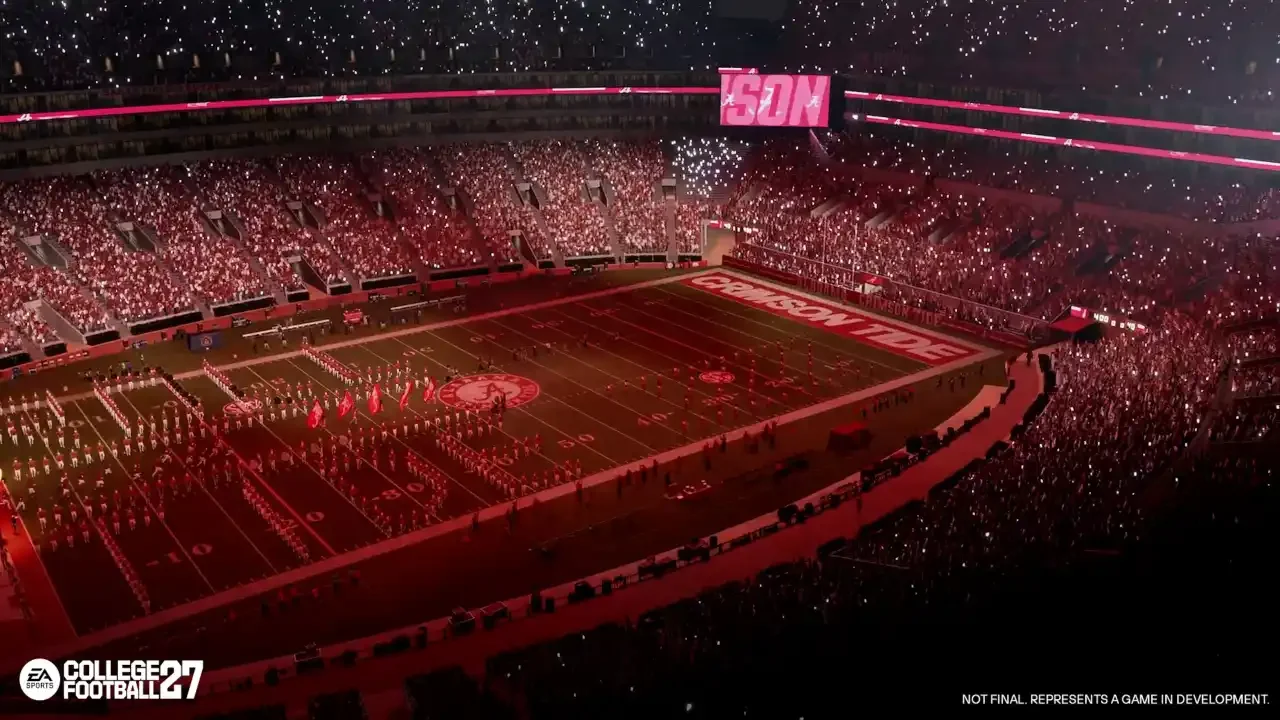
The customization extends to the fan base. You set the base crowd colors and dictate the percentage split. The stripe-out logic is the best part of the whole system. You can force the student section to wear a solid color, form a checkerboard pattern, or create massive vertical stripes.
You can tie these crowd patterns to five specific triggers, like night games, Top 25 matchups, or rivalry weeks. This logic ensures your stadium atmosphere visually shifts based on the actual stakes of the season, making an important November game feel tangibly different from a September blowout.
The Audio Suite
A silent stadium ruins the immersion. The builder includes an audio editing suite that looks exactly like a standard timeline-based music program. You can layer crowd chants, band rousers, and public address tracks, setting the exact delays for when a specific moment happens on the grass.
The available sound pool includes over 150 commentary nicknames, 100 unique stadium sound effects, 66 marching band tracks, 54 crowd chants, 11 licensed PA tracks, and 7 generic fight songs. Mixing these properly ensures your home turf actually sounds like a hostile environment on third down instead of a quiet library.
Dynasty Integration And Weather Physics
All this customization means nothing if it doesn't function inside the main game. Importing your squad into Dynasty relies on the real latitude and longitude of your chosen city.
These geographic coordinates directly impact the dynamic weather engine and your recruiting reach. Placing your school in the Pacific Northwest guarantees heavy rain games, while a Florida location invites thunderstorms. It also sets your Proximity to Home grades for local high school recruits. Putting your school in a dense talent state makes building a competitive roster significantly easier.
You can establish historical stats for your program, manually setting records for things like the all-time career rushing leader or single-season passing touchdowns. This gives your fresh school some immediate lore.
If you get tired of your uniforms, you can reimport your team during the offseason without breaking your save file. For Road to Glory runs, the game lets you replace all six high school teams with custom creations and pull up to 16 Team Builder programs into the college ranks.