LEGO Batman: Legacy of the Dark Knight Multiplayer Guide
Fighting crime in Gotham is always better when you can force a friend to handle the tedious puzzle mechanics.
Running around as Batman is great, but these games are fundamentally built around teamwork. You constantly need to swap between characters to trigger switches, combine gadgets, and beat up endless waves of generic street thugs. Managing all of that alone gets exhausting. Fortunately, you can bring a friend along for the ride, provided they are actually sitting right next to you on the couch.
The State of Multiplayer in Gotham
TT Games kept things very traditional for this release. Before you waste twenty minutes digging through the main menu looking for an invite screen, you need to know exactly what this game supports and what it lacks.
How to Drop In and Out
You do not have to start a brand new save file to play with a friend. The game utilizes a seamless drop-in system that lets a second person take over your AI companion at any given moment.
Starting a Local Session
To initiate local co-op, simply connect a second controller to your console or PC. Wait until you have actual control of your character in the game. From there, you have two simple options.
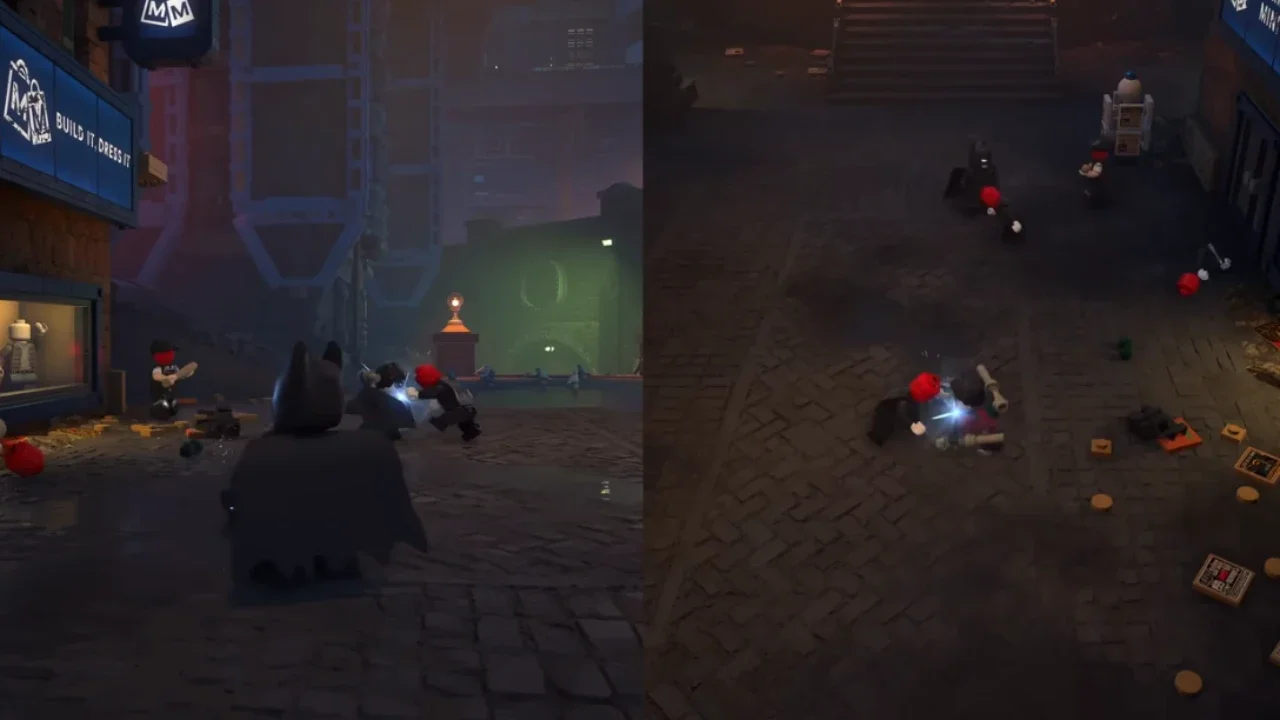
The first person can pause the game and look for the drop-in prompt sitting in the top right corner of the pause screen. Alternatively, the person holding the second controller can just press the Start button. The camera will immediately chop into a vertical split-screen format, placing Player 1 on the left side and Player 2 on the right side. From there, you can both explore the open world, fight goons, and solve puzzles simultaneously.
Ending the Session
If your partner gets tired of falling off ledges, they can leave the session without disrupting your progress.
To drop out, have the second person open the pause menu and hold down the designated Drop Out button. This is usually the X or A button depending on your specific hardware. If they just rage-quit and disconnect their controller entirely, a warning message will pop up on your screen. You can then hold the X or A button on your own controller to manually end the co-op session and revert the screen back to a single seamless view.
The Online Multiplayer Workaround
LEGO Batman: Legacy of the Dark Knight does not feature any native online matchmaking. You cannot boot up the game and invite someone from your standard friends list.
However, you are not entirely out of luck if your co-op partner lives in another city. You can bypass this limitation by using platform-level screen-sharing features. If you are playing on a PlayStation console, you can use the built-in Share Play feature to virtually hand them a controller. If you are on a PC, Steam Remote Play Together does the exact same thing. Both of these tools trick the game into thinking you have two controllers plugged into the same machine, letting you play together over the internet.