Raccoin Troubleshooting Guide: Breaking The Infinite Loops
The physics engine in this game is chaotic enough without the actual user interface actively trying to sabotage your meticulously planned board state.
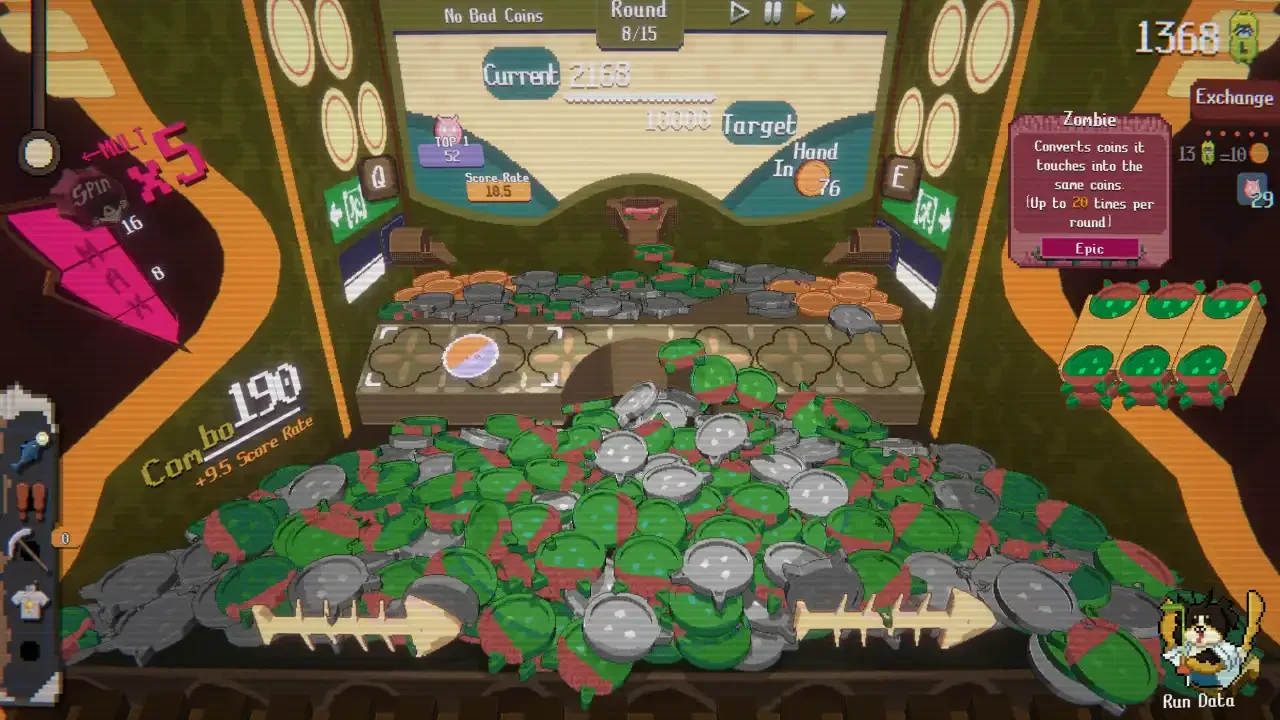
You spend a full hour carefully drafting the perfect deck of special coins, plotting out the exact synergies needed to beat difficulty level five. You push your combo meter to the absolute limit. Then, right as you are about to execute a flawless setup, the game magically locks onto a lane and dumps your entire hoarded clip into the void. Or worse, you hit your target score to win the round and find yourself trapped in a purgatory of endless roulette spins with no obvious way to exit the machine.
Raccoin has a massive problem with telegraphing its quality of life features. The developers implemented several automation tools designed to help you during the overwhelming late game stages, but they completely failed to explain how to turn these features off when they start ruining your precise strategies.
I combed through the settings and tested the UI constraints so you do not have to panic click your keyboard while your economy bleeds out. If you are struggling with the basic game rules rather than the interface, you should start with my Raccoin Beginner Tips Guide instead. If you are ready to fix the software itself, here is how you regain control of the machine.
Escaping The Endless Roulette Loop
This is easily the most terrifying bug you will encounter during a successful run. You hit your target score, the round should technically be over, but the game refuses to let you enter the shop.
Instead, the reward wheel just keeps spinning. A prize ball drops, which triggers another coin drop, which triggers a combo, which spins the wheel again. The Russian Roulette coin is particularly guilty of causing this specific trap. You are stuck watching the machine play itself while the shop button remains grayed out.
You are not actually soft locked. The game is just trying to process a massive backlog of queued reward events, and it refuses to transition to the shop until the queue is entirely empty. You can force the game to bypass this queue with a very specific hidden button.
The Reward Toggle Solution
Look at the very bottom of your screen. There is a collapsible menu bar that most people completely ignore. Expand that bottom bar and look to the far right side. You will find a tiny button labeled "Retain reward events until next round."
Turn that toggle on. This instantly tells the game to pause the current queue of prize balls and wheel spins, pack them up, and carry them over to the start of your next round. The loop will immediately break and the shop button will illuminate.
The Permanent Settings Fix
If you are tired of manually clicking that tiny toggle every time you pop off a massive combo, you can automate the escape route. Open your main gameplay settings menu from the pause screen. Look for the option labeled "Auto-end Round" and switch it on. This forces the game to immediately transition to the shop the exact millisecond you hit your target score, regardless of what the spin wheel is doing.
This setting is a lifesaver, but it does remove your ability to intentionally loiter in a finished round to set up your board. If you rely on loitering to build ticket reserves, you will want to read my Raccoin Advanced Scoring Strategy guide to learn how to farm efficiently without risking the loop.
Breaking The Auto-Shoot Padlock
You are lining up a perfect shot to push a high value modifier over the edge. You hold your mouse button down for a fraction of a second too long, and suddenly a large padlock icon appears on the screen. The machine takes over and starts rapidly firing every single coin in your clip like a machine gun.
This is not a bug. It is a highly aggressive accessibility feature.
When you progress into the endless mode or reach the final rounds of a high difficulty run, you will occasionally find yourself holding over a thousand coins in your clip. Clicking your mouse a thousand times to clear your inventory will literally destroy your wrist. The developers added the auto-shoot lock to save you from carpal tunnel syndrome.
If you hold down your shoot button for a few consecutive seconds, the game assumes you want to dump your ammo. The lock engages and fires automatically on whatever trajectory your mouse is currently resting.
Regaining Manual Control
Disabling the lock is incredibly simple once you know it exists, but the panic usually causes people to hit the escape key or violently shake their mouse. Do not do that.
To stop the auto-shoot function, just click your shoot button one single time. A single, distinct click disengages the padlock and returns the game to manual firing mode. If your ammo clip is already low, you have to be extremely careful not to hover on the mouse button while aiming. Every coin matters early on. If you want to understand exactly why wasting coins destroys your scaling, take a look at my Raccoin Mechanics Explained breakdown.
Ending Early Versus Burning Exchanges
There is an ongoing debate about what you should actually do when you hit your target score with a healthy clip and leftover exchanges. Do you instantly hit the shop button, or do you stay at the machine and burn your remaining exchanges to farm more tickets?
The interface allows you to keep playing, but doing so is a massive gamble.
Using an exchange literally costs you tickets. You are paying a flat fee to reload your clip. If the coins you drop from that reload do not generate more tickets than the exchange cost, you are operating at a massive deficit. You will enter the shop with less currency than you had when you hit the target score.
You should only burn your leftover exchanges if you possess specific stickers that drastically increase your ticket yield, or if your character naturally excels at generating raw currency. If you are playing the default raccoon, it is usually a safe bet. If you are experimenting with more volatile classes, just end the round. You can read up on which classes handle this economy best in my Raccoin Character Unlock Guide.
Do not let a clunky user interface ruin a perfectly good run. Learn where the toggle switches are hidden, stop holding your mouse button down with a heavy hand, and keep your ticket economy strictly in the green.