Graveyard Keeper Guide: How To Save Your Game And Keep Your Sanity
Spending three hours dissecting corpses only to lose all your progress because the game hides its save mechanic is an absolute nightmare.
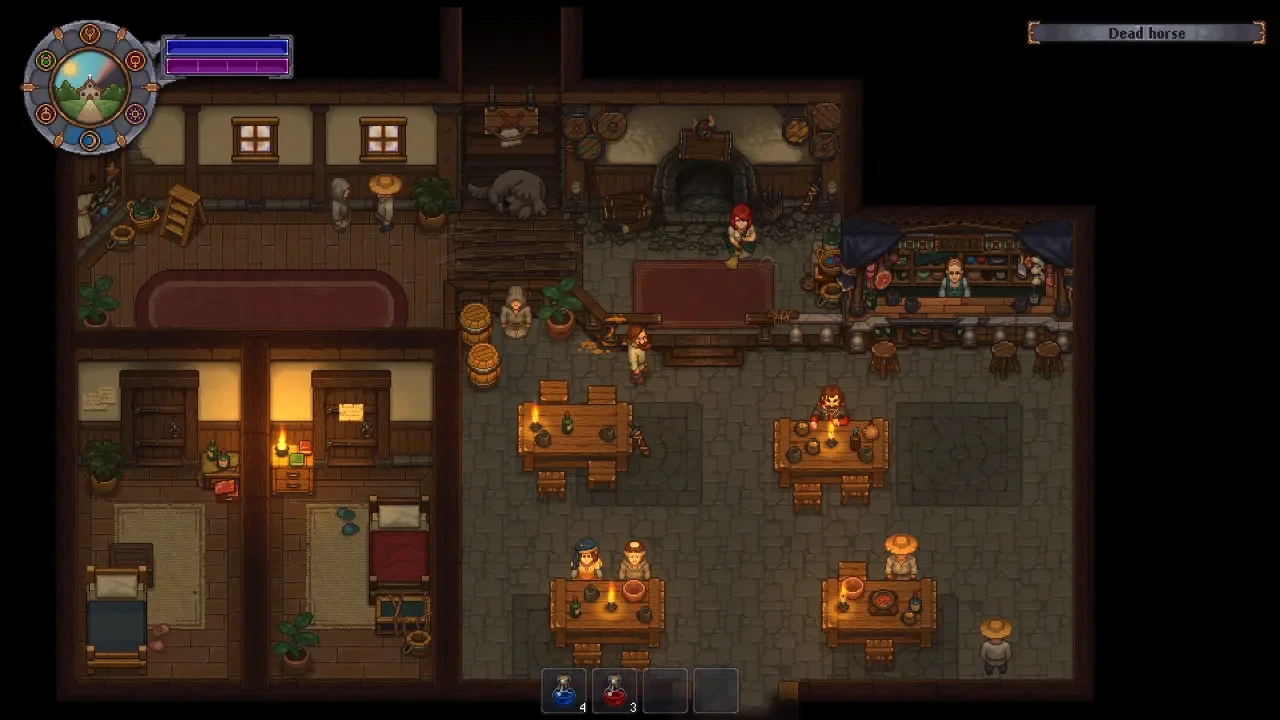
With Graveyard Keeper currently hitting a massive surge of players thanks to a temporary free window on Steam and PlayStation 5, a whole new wave of aspiring morticians are discovering the brutal reality of medieval bureaucracy. The game throws you into the deep end immediately. You are expected to dig graves, manage rotting meat, fix up a ruined church, and somehow navigate a tech tree that looks like a massive spiderweb. Amidst all that chaos, the game completely forgets to explain one of the most crucial mechanics in any digital experience.
There is no obvious save button in the pause menu. If you try to quit to the desktop, the game smugly warns you that all unsaved progress will be lost, giving you a mild heart attack in the process. I lost an entire afternoon of chopping wood and hauling bodies because I wrongly assumed a modern indie game would have a functional auto-save system running in the background. It does not. You are entirely responsible for your own data retention.
The Only Way To Record Your Progress
You have exactly one method to save your game in Graveyard Keeper, and it involves stepping away from the morgue and actually getting some rest.
Finding Your Sweet Home
During the opening tutorial, a talking skull named Gerry leads you through your graveyard and points out the locked church. It is very easy to get hyper focused on the graves and the autopsy table, but your actual sanctuary is located slightly away from your workplace.
Your bed is not in the church or the morgue. You need to head northeast on your map to a location literally titled Sweet Home. Walk inside the shabby little cabin, and you will find your bed sitting in the left most room of the house. This dirty mattress is the most important object in your entire playthrough.
The Sleep And Save Mechanic
To actually trigger a save state, you need to climb into that bed and go to sleep. When you wake up and step out of the bed, a small book and quill icon will briefly flash on your screen. That tiny icon is your only visual confirmation that your progress is permanently locked in.
If you are coming from other cozy farming simulators, you might be terrified to use the bed in the middle of the day. In most games of this genre, going to sleep automatically advances the clock to the next morning and wastes whatever daylight you had left. Graveyard Keeper actually handles this brilliantly.
You can go to bed whenever you want, and you can sleep for incredibly short periods. If you just finished a massive crafting session and want to save before logging off to eat dinner, you can climb into bed and instantly press the wake up button. Your character will stand right back up, the game will save, and you will have barely lost any in game time on the sun and moon dial located in the top left corner of your screen.
Managing Your Energy And Time
Sleeping is not just a glorified menu button for securing your save file. It is deeply tied to your core survival mechanics and how much physical labor you can actually accomplish in a single day.
The Blue Stamina Bar
Every time you swing an axe, swing a pickaxe, or shovel dirt out of a grave, you deplete your blue energy bar. Once that bar hits zero, your character is completely exhausted and refuses to do any heavy lifting.
Sleeping in your bed steadily replenishes this blue bar. You can choose to sleep for as long as it takes to completely refill your energy before waking up to tackle your chores. Managing this meter is the core gameplay loop for your first dozen hours. You will find yourself constantly running back and forth between the graveyard and your house just to get enough stamina to finish digging a hole.
Alternatives To Sleeping
Eventually, running back to your bed every five minutes gets incredibly tedious. As you progress deeper into the game and unlock farming and cooking, you gain access to a massive menu of food and drink.
Consuming food instantly restores chunks of your blue energy bar. Later in your playthrough, you will likely have enough baked goods in your pockets to rarely need a full night of sleep for stamina purposes. However, you must remember that eating food does not trigger a save state. Even if you are buzzing on wine and cake with a full stamina bar, you still need to physically interact with your bed and wake up instantly to lock in your progress before quitting the game.
The Reality Of Dying In Graveyard Keeper
You might be terrified of dying and losing hours of work because of the manual save system. Surprisingly, death is the one thing this game does not actively punish you for.
A Free Teleport
As you start exploring the deeper dungeons and fighting off aggressive slimes and bats, you are inevitably going to take too much damage and drop dead. When this happens, do not panic. Holy shit, the developers actually threw us a bone here.
There are zero penalties for dying in this morbid world. You do not drop your hard earned loot, you do not lose a percentage of your money, and you do not lose your skill points. If your health reaches zero, you simply respawn instantly in your bed back at Sweet Home with a completely full health bar and all of your items intact.
Many veteran players actually use death as a fast travel mechanic. If you are deep in the dungeon and your bags are completely full of heavy iron ore, simply letting a monster kill you is much faster than walking all the way back up to the surface. It is a free teleport straight to your house.
The Real Threat Is Stability
Since death is just a free Uber ride home, the only real threat to your progress is the software itself. Game crashes, power outages, and system updates do not care about your medieval cemetery.
Because Graveyard Keeper completely lacks an auto-save feature, a random crash to your desktop will completely wipe out everything you did since the last time you touched your bed. Get into the habit of tapping your bed every time you complete a major milestone, finish a long crafting queue, or deliver a perfect corpse. It only takes two seconds to sleep and wake up, and it will save you from throwing your controller through a window.