Resident Evil Requiem Settings Guide: Fixing Sensitivity, POV, And Controls
Fighting a mutated monstrosity is terrifying, but fighting the user interface just to turn your camera is a completely different kind of nightmare.
Survival horror games deliberately make you feel clumsy to heighten the tension. Your character moves a bit sluggishly, your aim sways when you panic, and your field of view is intentionally restrictive. That is just part of the genre. However, there is a massive difference between intended mechanical tension and a genuinely terrible settings menu.
If you are playing Resident Evil Requiem on a PC right now, you have probably noticed that looking around feels like dragging your mouse through wet cement. You probably opened the options menu, looked for a simple sensitivity slider, found absolutely nothing, and assumed your game was broken. It is not broken. Capcom just decided to hide one of the most vital settings in the game behind a bizarrely nested submenu.
Before you even think about stepping out into the Care Center hallways, you need to fix your configuration. If you are already struggling to survive the opening hours, taking ten minutes to adjust your controls will do more for you than reading my Resident Evil Requiem beginners guide. I am going to walk you through exactly how to fix your camera speed, which perspective you should actually be using, and the optimal gameplay settings to keep you alive.
How To Find The Hidden Mouse Sensitivity
I wasted twenty minutes clicking through tabs before I finally figured out how to make my character turn around at a normal human speed. The UI design here is completely baffling.
You will not find a master sensitivity slider on the main display page. Instead, open your Options menu and navigate over to the Camera tab. Look for the section labeled "Perspective and Camera." You will see two separate settings here, one for Grace and one for Leon.
This is where everyone gets stuck. You actually have to highlight either Grace or Leon's option and press your confirm button (which defaults to the F key on PC) or click the tiny white arrow pointing up on the right side of the screen. Doing this opens an entirely separate hidden window. That secondary window contains the actual sensitivity sliders for your mouse and controller aim. You have to manually adjust the sliders for both characters independently.
Once you tweak those numbers, the game immediately feels infinitely more responsive.
Choosing Your POV: First Person vs Third Person
Requiem gives you the ability to swap between a first person and a third person perspective at any point during your playthrough. You change this in the exact same Camera tab in the settings menu.
The perspective you choose drastically alters how the game feels. I highly recommend picking one and sticking with it so your muscle memory adapts, but there are distinct advantages to both.
The First Person Experience
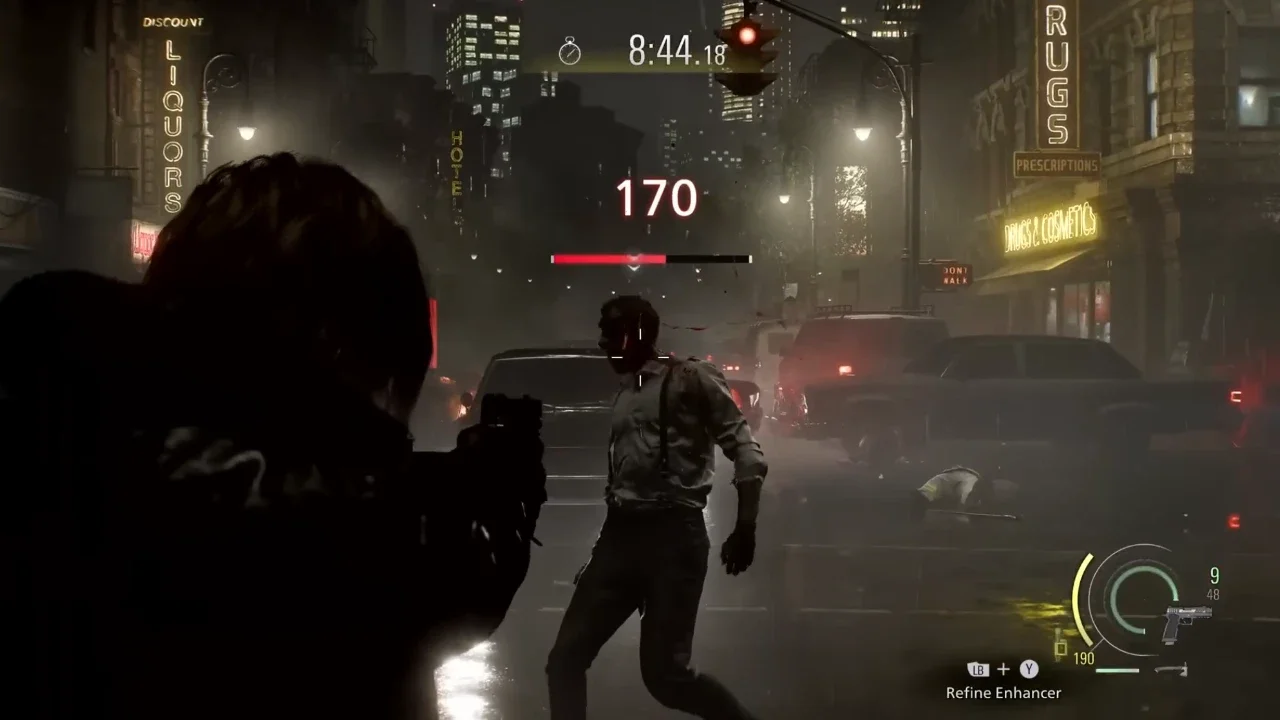
If you want pure, unfiltered anxiety, you play in first person. This locks the camera right behind your character's eyes. It limits your peripheral vision, making the dark corridors of Rhodes Hill feel incredibly claustrophobic. When a zombie lunges at you, it takes up your entire screen. It makes solving environmental puzzles feel a bit more tactile, and the gunplay feels remarkably similar to the combat loop in Resident Evil 7. The massive downside is that you have zero spatial awareness. It is incredibly easy to get backed into a corner because you simply cannot see what is behind you.
The Third Person Advantage
I personally play in third person. Pulling the camera back over the shoulder gives you a much wider view of your immediate surroundings. You can actually see enemies trying to flank you, which is crucial when dealing with the faster mutated variants later in the game.
It also adds a lot of personality to the experience. Grace is not a trained soldier, and playing in third person lets you actually see her react to the horror. She trips, she shakes, and her animations reflect genuine panic. Leon looks as tactical as ever, and having that wider camera angle makes timing his melee parries significantly easier. If you want to master those specific defensive mechanics, my Resident Evil Requiem combat guide breaks down the exact timing you need.
Essential Gameplay Tweaks
While you are in the menus, there are a few other toggles you need to address under the Character Controls section.
Movement and Sprinting
Change your Run Type from Toggle to Hold. In a game where positioning means everything, you want absolute control over when your character sprints and when they walk. Toggling your sprint on and then accidentally running face first into a Singer zombie because you forgot to press the button again is a stupid way to die.
I also highly suggest setting your default movement state to Walk rather than Run. Walking makes significantly less noise during the stealth sections, allowing you to slip past sleeping enemies without wasting ammunition. If your pockets are already empty from taking unnecessary fights, read my Resident Evil Requiem crafting guide to fix your economy.
Aim Assist and Sights
There is absolutely zero shame in turning on Aim Assist if you are playing on a controller. Ammunition is too scarce to waste on missed shots. Turn it on, set the Assist Level to a comfortable margin, and let the reticle deceleration help you secure those critical knee and headshots.
You should also look at the "Dot Sight Perspective" toggle. If you play in third person but prefer the accuracy of aiming down the actual barrel of a gun, turning this on will seamlessly shift the camera into first person the moment you aim a weapon equipped with a dot sight. It gives you the spatial awareness of third person with the precision of a first person shooter.
If you absolutely hate the default bindings, you can jump into the Button Configuration menu and select the Custom B or Custom C layout to remap the keys to your liking. Sort out your camera speed, memorize the parry button, and get back into the darkness. If you want to optimize your entire run, you can pull up my Resident Evil Requiem trophy achievement guide to track what you need to do next.