Windrose Base Building Guide: Crafting Upgrades and Demolition
Windrose will let you build your dream fortress crooked and facing the wrong way, and then refuse to let you nudge it two inches to the left.
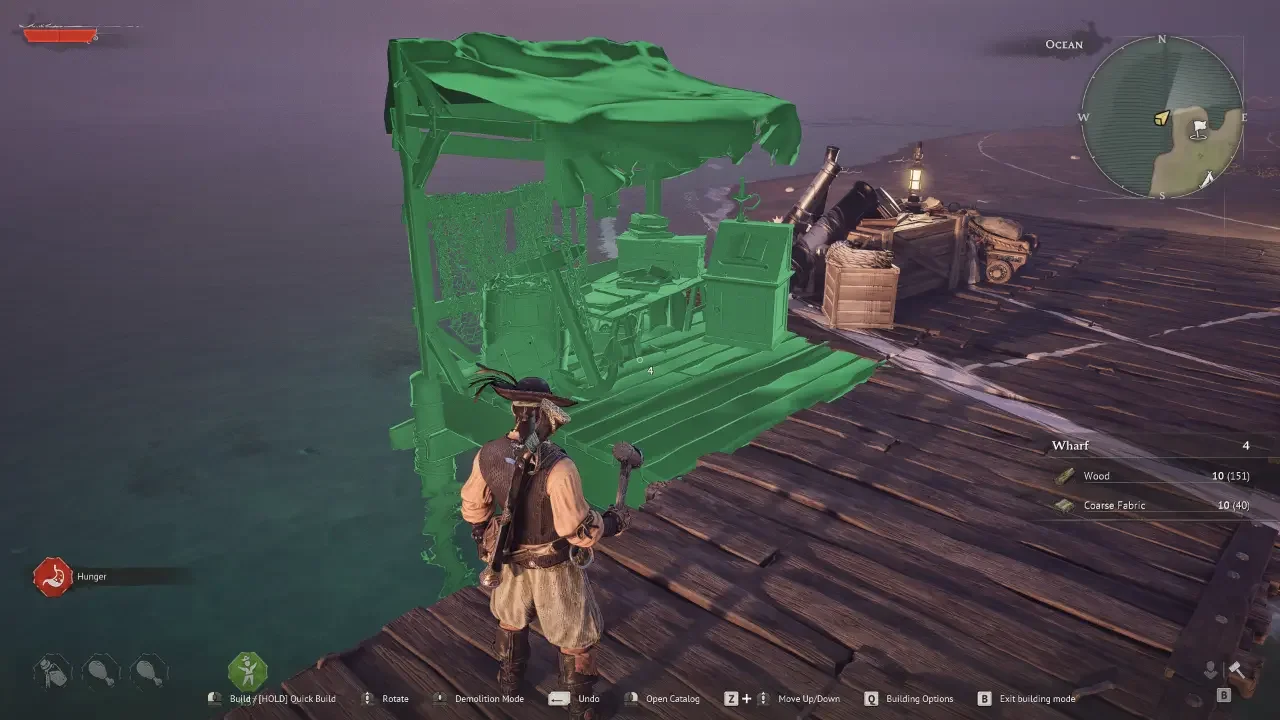
There's no move function in the build menu. None. Realized that after placing a storage chest just outside my roof's coverage and spending a solid ten minutes trying to find a drag option that doesn't exist. Once you accept that limitation, though, the rest of the building system actually makes sense, and there's a proximity trick buried in it that saves a ton of wasted materials once you know it.
Fixing Mistakes Means Demolishing Them
Press B for build mode, then middle-click to switch into Destroy Mode. Point at whatever you placed wrong and click it into oblivion. The good news is Windrose refunds a hundred percent of the raw materials when you tear something down, so a placement error doesn't cost you anything material-wise.
It does cost you inventory space, though. If your pockets are already stuffed with monster parts and you demolish a stone wall, all that refunded rock just spills onto the ground instead of going into your bag.
Upgrading Stations Without a Menu
There's no gold-for-levels system here. Instead, Windrose gates crafting station upgrades behind physical add-ons, specific pieces of furniture you build and place near the station you want leveled up.
Want your Workbench to unlock better recipes? Build a Sawhorse. It levels up automatically the moment that Sawhorse exists nearby. You'll pick up these add-on recipes naturally just by exploring, gathering new materials, and working through early quests, so it's less about hunting for a specific unlock and more about paying attention once they show up.
Here's what upgrades what, broadly:
Workbench needs a Sawhorse, Tool Shelf, and Toolbox
Weaponsmith Workshop needs an Anvil, Bellows, and Water Barrel
Armor and Clothing Workshop needs a Material Rack, Shoemaker's Bench, and Try-on Mannequin
Cooking Fire needs a Cutting Table, Cookware Shelf, and Supplies Rack
Alchemy Table needs a Reagent Table, Distiller, and Stove and Pot
Jewelry Table needs a Jewelry Cabinet and Jeweller's Bench
The Bonfire Radius Is the Whole Trick
This is the part that actually matters. Add-ons don't need to sit right next to the station they upgrade. They just need to share the same Bonfire radius. Your Workbench can be in a beach shack and your Sawhorse can be up on a hill, and as long as both fall inside the same fire's glow, the upgrade applies.
That also means you only ever need one of each add-on. Build three Workbenches for whatever aesthetic reason and a single Sawhorse still upgrades all of them, provided they're all within range of the same fire. Building duplicate add-ons is just burning copper and wood for nothing.
Why Skipping This Catches Up With You
None of this is optional in practice. The mid-tier Sailor Backpack won't unlock without a Sawhorse in place. Decent firearms and armor stay locked until the Weaponsmith and Armor workshops get their respective upgrades. Even the Homeward Journey potion, which makes a real difference once you're relying on fast travel to get around efficiently, stays locked out until a Stove and Pot goes up at the Alchemy Table.
Best approach is planning for a wide Bonfire radius early, before the base gets cluttered. Space stations out with some breathing room so there's room to drop add-ons later without tearing down half of what you already built. If the whole setup still feels overwhelming, the beginner's guide is worth a look first, since a lot of this clicks faster once the basic survival loop isn't eating all your attention.